

AI document digitization, with a reviewer in the loop
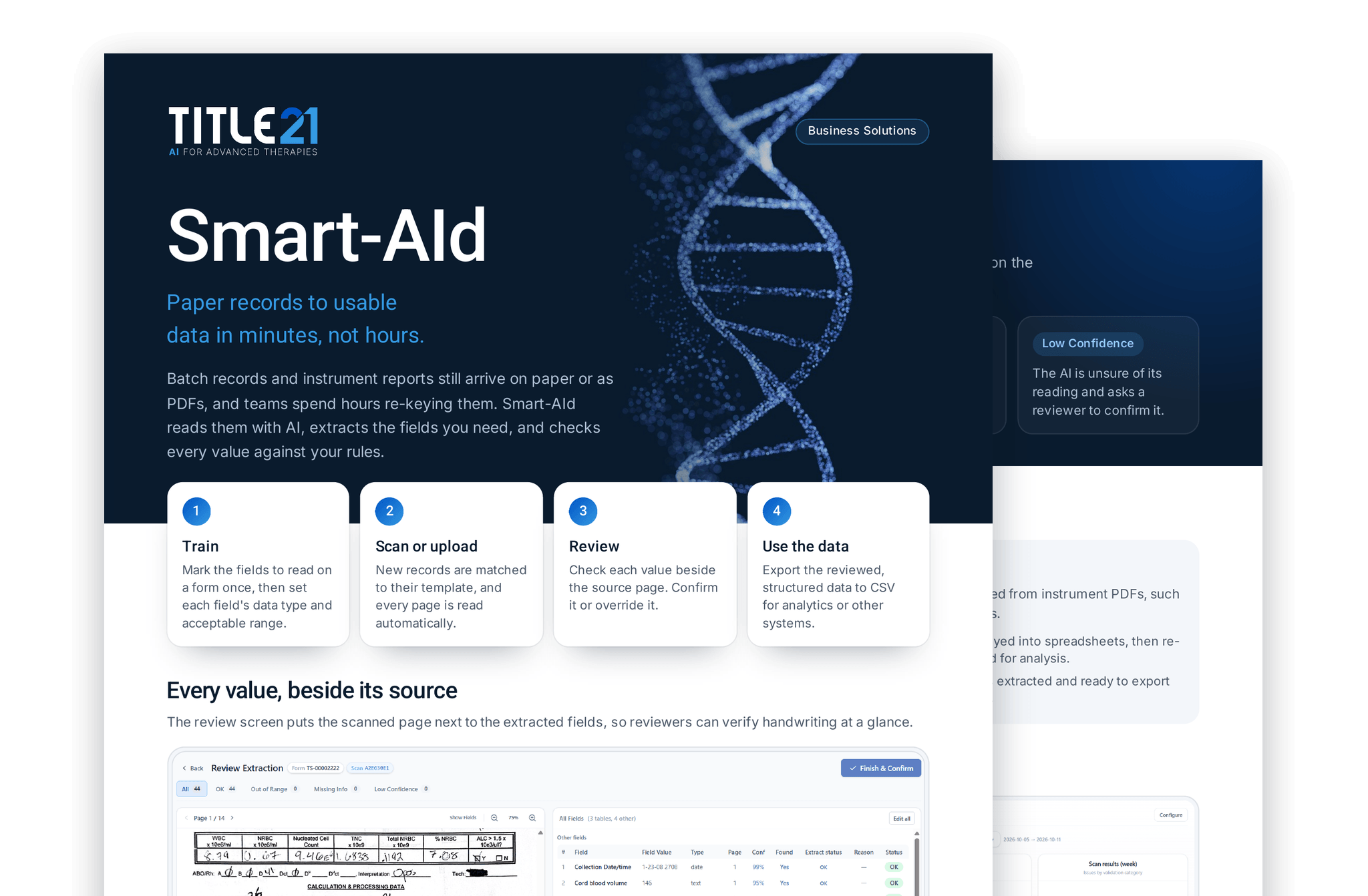
Train Smart-AId once on a form. From then on, it reads every page of each new record, extracts the fields you chose, and flags anything out of range, missing, or uncertain for a reviewer to confirm.

Trained on your forms
Checked against your rules
A person confirms every record
Every value, beside its source
The review screen puts the scanned page next to the extracted fields, so reviewers can verify handwriting at a glance.
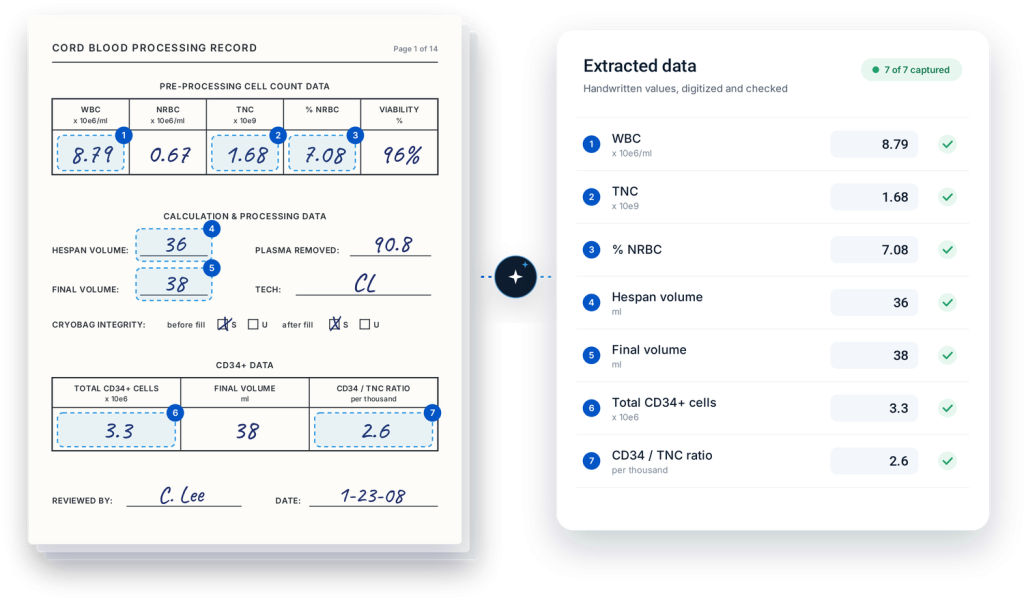
Field-level resultsValue, data type, page, and confidence for every trained field.
Status at a glanceFilter by OK, out of range, missing info, or low confidence.
Finish and confirmClose the review once every value has been checked.
Built-in checks on every field
Rules you set during training run on every record, so reviewers spend their time on the values that need a person.
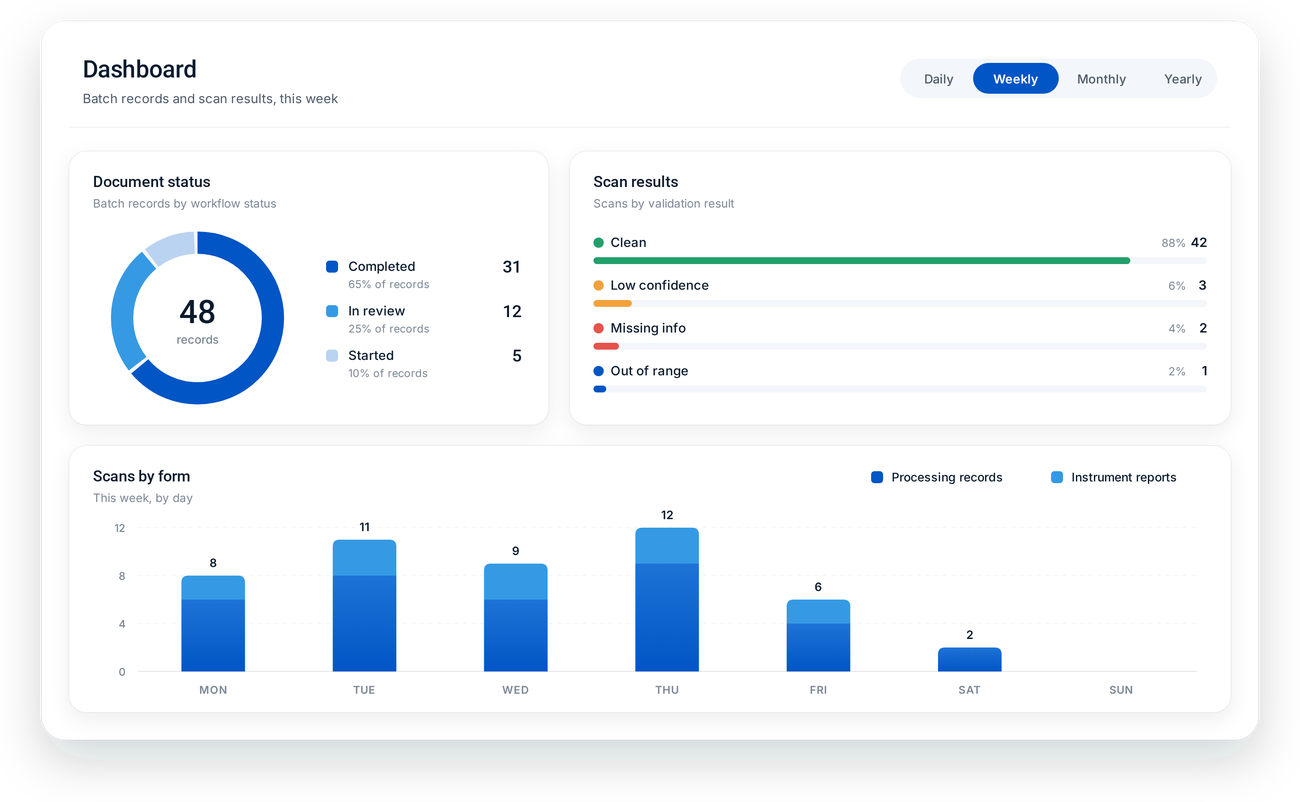
The value was read clearly and passes its checks.
The value falls outside the acceptable range you defined.
An expected field is blank or could not be found.
The AI is unsure of its reading and asks a reviewer to confirm it.
Where teams use it
Anywhere results are trapped on paper or in PDFs and have to be typed in again before anyone can use them.
Batch and processing records

Instrument reports
Built for review and traceability
Smart-AId keeps a person accountable for every record and a record of everything they did.
- Assign records to reviewers and track status in a shared review queue
- Confirm or manually override any extracted value
- Log every action in an audit trail you can export to CSV
- Monitor document status and scan results on a live dashboard
Product Sheet
Smart-AId at a glance
Download our two-page guide to how Smart-AId reads, checks, and digitizes batch records and instrument reports.
Complete the form to download.
Make your records actionable.
See Smart-AId read one of your own forms. Bring a batch record or an
instrument report and we will show you how it is read and checked.